
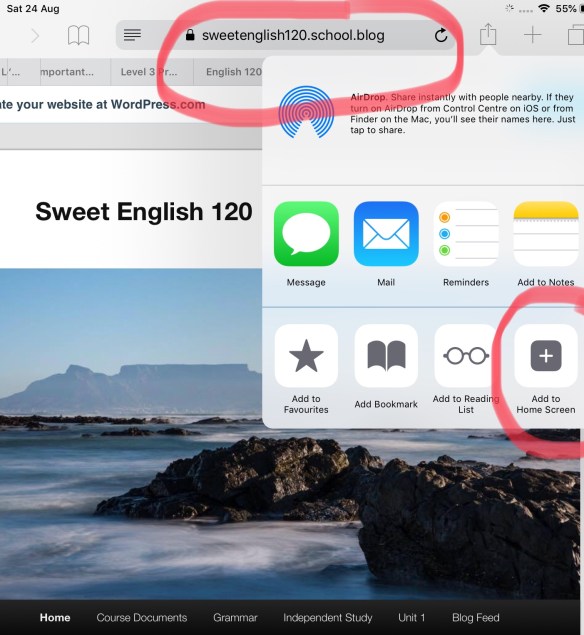
Get organised in three easy steps! If you save this site to your home screen, you will be able to find it quickly in class time.
- Open our wordpress site ( sweetenglish120.school.blog ) in Safari. Tap on the icon to the right or left of the address bar. Choose ‘Add to home screen‘.
2. Follow our blog: Just click on the ‘Follow’ button at the bottom right hand side of the page and enter your university address when the dialogue box pops up. When you follow the blog you will get an email alert every time something new is posted.
3. Download the following Apps: Kahoot ( https://kahoot.it ) and Socrative ( https://b.socrative.com/login/student )


 Sweet English 120